
Sources & Review
You rarely start from a blank form. The extension generates the whole API from what you already have, a database, a versioned schema, a diagram or a spec, or from a description written in plain words. Every one of these sources ends on the same review screen, before anything is written.
The sources are in the sidebar home under Generate from, in the ... menu of the entities view and in the command palette.
The review screen
The package runs the generation as a dry run, and the panel shows what it would do. Each entity lists its fields, its relations and the files it would get, with a badge for the new ones or the entities already generated. The shared files, routes/api.php and DatabaseSeeder.php, have their own row. On the side, the summary counts the files to create and to update and the new routes, and the generation options (Pest tests, Postman collection, Sanctum auth, Spatie QueryBuilder, JSON:API resources) can still be switched.
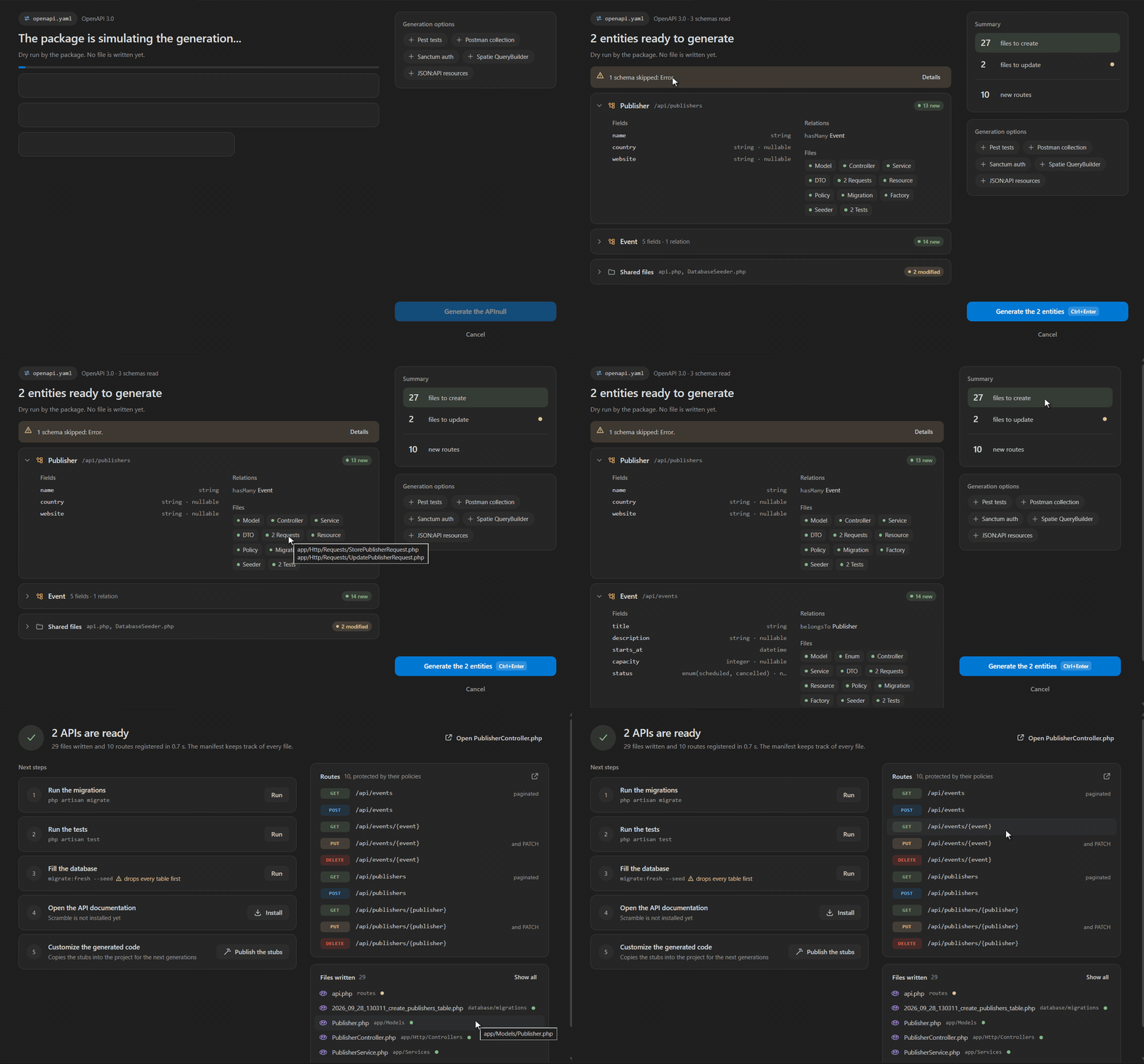
A file you edited by hand since the last generation stays as it is. The screen names it, View the diffs compares it with what the generator would write, and Overwrite anyway includes it on purpose. Schemas the package left aside are listed with the reason, such as the error schema of a spec.
Generate writes the files and opens the API ready screen with the next steps.
Describe an API with Copilot
Start from a sentence. A description opens a panel where you write the API in plain words, for example rooms that members book by time slot, where a booking has a start, an end and a status. Three examples fill the box if you want to try first.
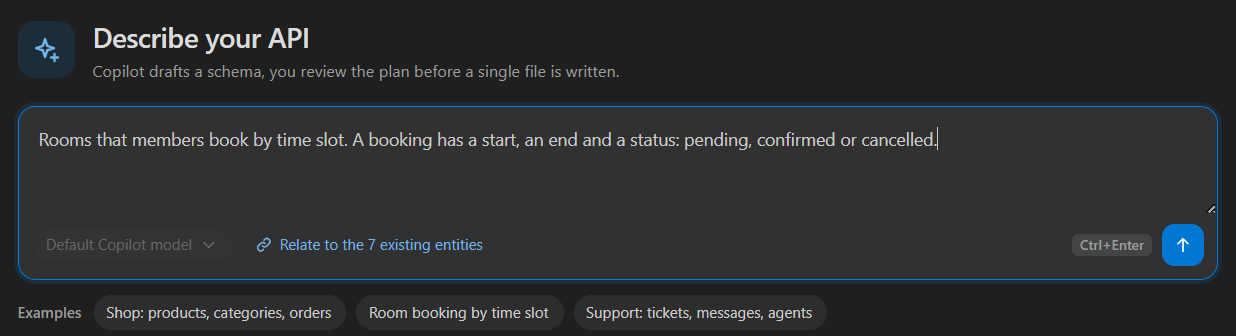
Pick the chat model VS Code offers (GitHub Copilot by default) and choose whether it relates the new entities to the ones your project already has. The model drafts an api-schema.yaml, and the proposed entities show up as cards, marked new, changed or already in the project. Click a card to adjust the entity in the YAML draft, and the cards follow your edits. Review the plan opens the review screen. Save as api-schema.yaml keeps the draft at the project root instead, as the versioned source of the API.
When the model cannot answer, the panel says why, whether Copilot is signed out, no model is installed or the provider returned an error, with the fix as a button when there is one, such as setting an API key. The panel needs VS Code 1.90 or later.
From the database
This is the legacy-project route. It generates complete REST APIs for every table at once, straight from the existing schema. A multi-select lists the tables with their column count, all preselected except users, so your customized app/Models/User.php is never overwritten by accident. The review screen follows, where Migrations too decides whether the migration files are written as well. Foreign keys become belongsTo and hasMany, pivot tables become belongsToMany, and deleted_at columns enable soft deletes. Details in From an Existing Database.
From a schema file
Describe the whole API in a declarative, versionable YAML or JSON file. The extension picks up api-schema.yaml, .yml or .json at the project root, or lets you browse for one. Entities are generated parents first, with FK-safe migration ordering and automatic pivot migrations. See YAML & JSON Schemas.
From a Mermaid diagram
Turn a Mermaid erDiagram or classDiagram, hand-written or produced by an AI assistant, into a working API. The command uses the active .mmd file or lets you browse for one. Cardinalities (||--o{, "1" --> "*") become the right Eloquent relations on both sides. See Mermaid Diagrams.
From an OpenAPI spec
Hand an OpenAPI 3.0, 3.1 or Swagger 2.0 spec, JSON or YAML, to the package. The command uses the active spec or lets you browse for one, and the review screen shows the schema count of the spec next to its name. A spec that lives outside the project is sent on stdin, so Sail and Docker projects work too. See OpenAPI Specs for what becomes what.
Builder imports
The builder's Import menu fills the form instead, so you can adjust one entity before generating it.
- A database table lists the user tables, system tables such as
migrations,sessionsorpersonal_access_tokensleft out. The columns of the table you pick are mapped to the generator's types, and the form gets the entity name (singular, PascalCase), the fields and soft deletes when adeleted_atcolumn exists. - A class_data.json file shows every entity it defines with its fields and relations, then generates them all in one click. Relationships (
oneToMany,manyToOne,manyToMany, compositions, aggregations) are supported. Download a sample class_data.json to try it, a blog with Author, Category, Article and Tag. - An OpenAPI spec leads to the review screen above. With a package older than 3.13, it falls back to the extension's own importer, which reads JSON specs only.