Entity Diagram & Sidebar
The entity diagram
Entity diagram draws every generated entity on an infinite canvas, with its columns and their types read from the migrations, foreign keys included.
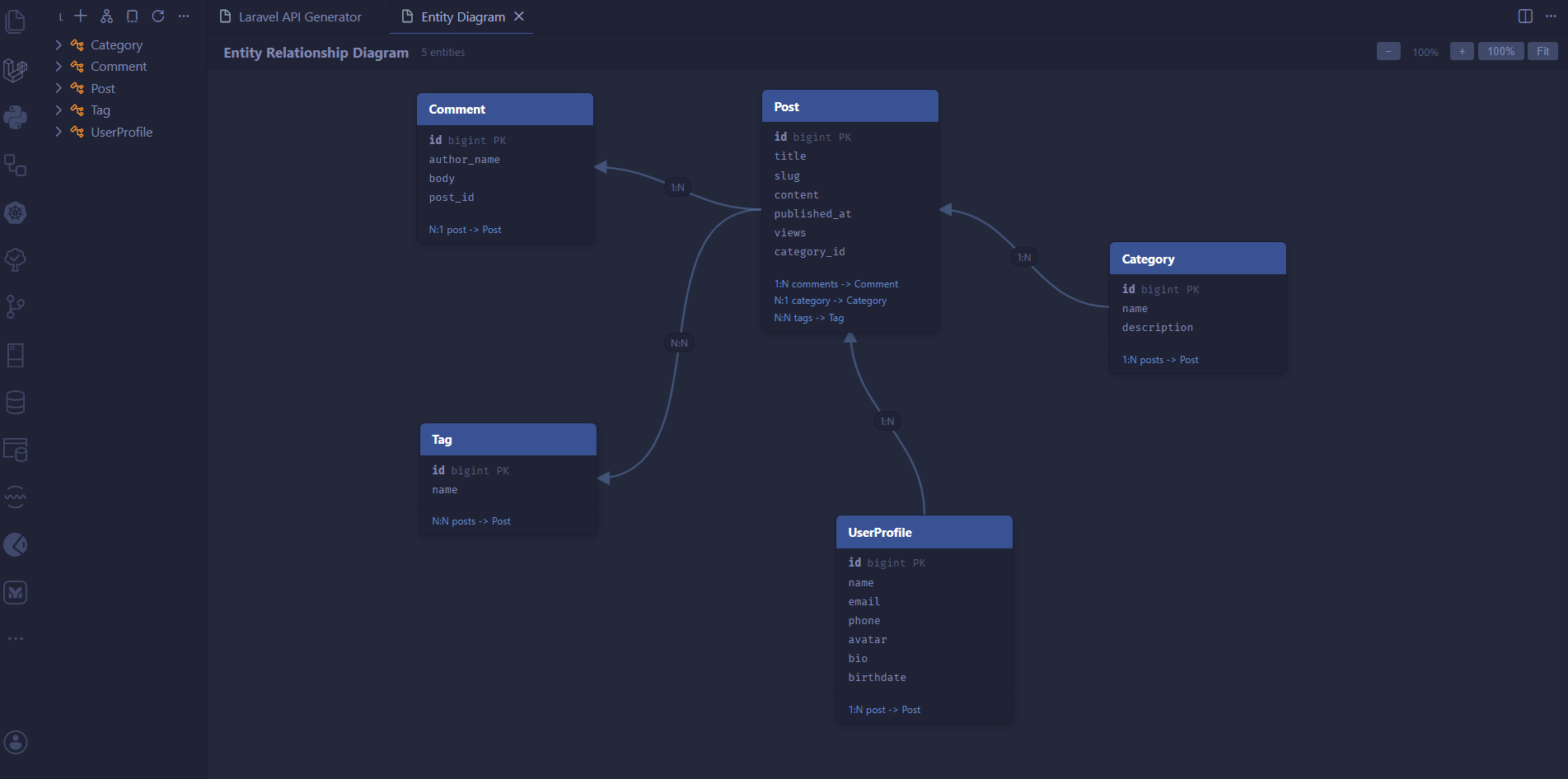
Inverse declarations (Post hasMany Comment and Comment belongsTo Post) are merged into a single link with its cardinality, and a self-referential relation draws a small loop. Hovering a card highlights its connections.
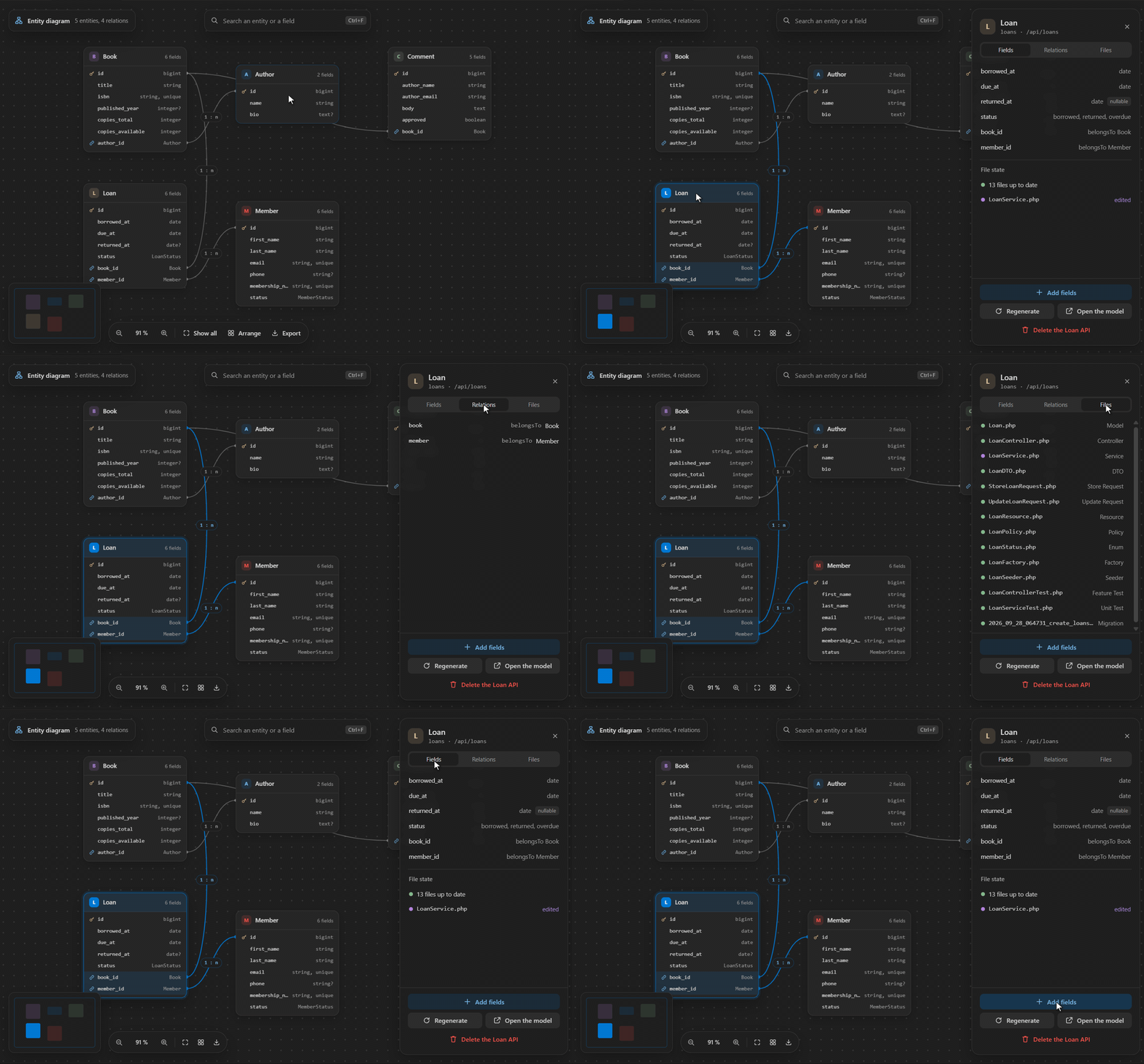
Drag the background or scroll to pan, and Ctrl+wheel (or a trackpad pinch) zooms toward the cursor. Cards stay draggable at any zoom. Ctrl+F searches an entity or a field, the minimap shows where you are, and the toolbar has Show all, Arrange and Export, to an SVG image or a Mermaid diagram (.mmd).
Select a card to open its inspector, with the fields, the relations and the files of the entity, each file marked up to date, edited or missing. From there, Add fields, Regenerate, Open the model or delete the API.
The sidebar home
The activity bar view opens on a home panel.
At the top, the project with its Laravel and PHP versions and the state of the package. When the package is missing or too old, the Composer command that fixes it sits right there, and the gear opens the extension settings. Below, New API opens the builder, Generate from lists the other sources (a description, the database, a schema file, a Mermaid diagram, an OpenAPI spec), and Project opens the entity diagram, the migrations, tests and seeders, the snippets and this documentation.
The panel follows your VS Code theme and the extension's language setting (English or French).
The entity tree
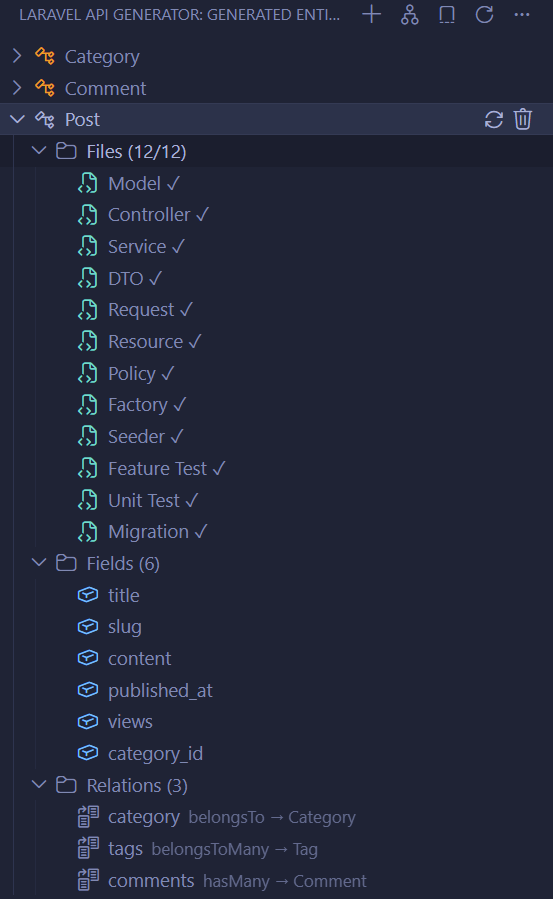
Below the home, the Generated Entities view tracks everything the generator created. Its title bar keeps New API, Diagram and Refresh, and its ... menu lists the sources and the project tools.
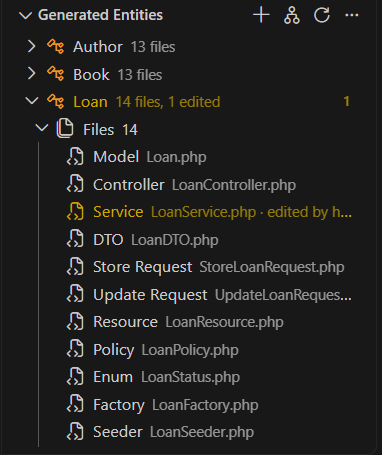
Each entity expands into three groups:
- Files: the files the package recorded in
.api-generator/manifest.json, Store and Update requests, enums and--add-fieldsmigrations included. Click one to open it. A file you edited by hand since the generation is flagged, and the entity shows how many. - Fields: read from the model's
$fillable, or from its#[Fillable]attribute on Laravel 13. - Relations: extracted from the model's relation methods, shown as
belongsTo → Author.
Entities generated before the manifest show their conventional files. A file watcher keeps the tree and the status bar in sync when APIs are generated or deleted outside the extension, from the terminal or after a git pull.
Entity actions
Right-click (or use the inline icons) on any entity:
- Add Fields to Entity…: type
excerpt:text,status:enum(draft,published)and the package creates an incremental migration and patches the model, requests, factory and resource in place via--add-fields, with one click to run the migration after. See Evolving Entities. - Regenerate File(s)…: multi-select the artifacts to rebuild, then the review screen shows the diff of every file before anything is written. With package 4.1 or later, the entity comes back from the definition the package recorded when it generated it, relations, enum values and column modifiers included. An entity generated before 4.1 is read back from its migrations, model and enums, and the screen says so. The underlying call is
make:fullapi --only=…, so the migration, route and seeder registration are left untouched. - Delete: full cleanup via
delete:fullapi(files, routes, seeder registration).
Go to Related File
Ctrl+Alt+R (Cmd+Alt+R on macOS) from any generated file jumps to its siblings (model to controller to service to test) without hunting through the tree. It knows the Store and Update requests, the enums named after their entity and, through the manifest, the migrations.