
Entity Builder
New API opens a form on the left and, on the right, the files the package is about to write.
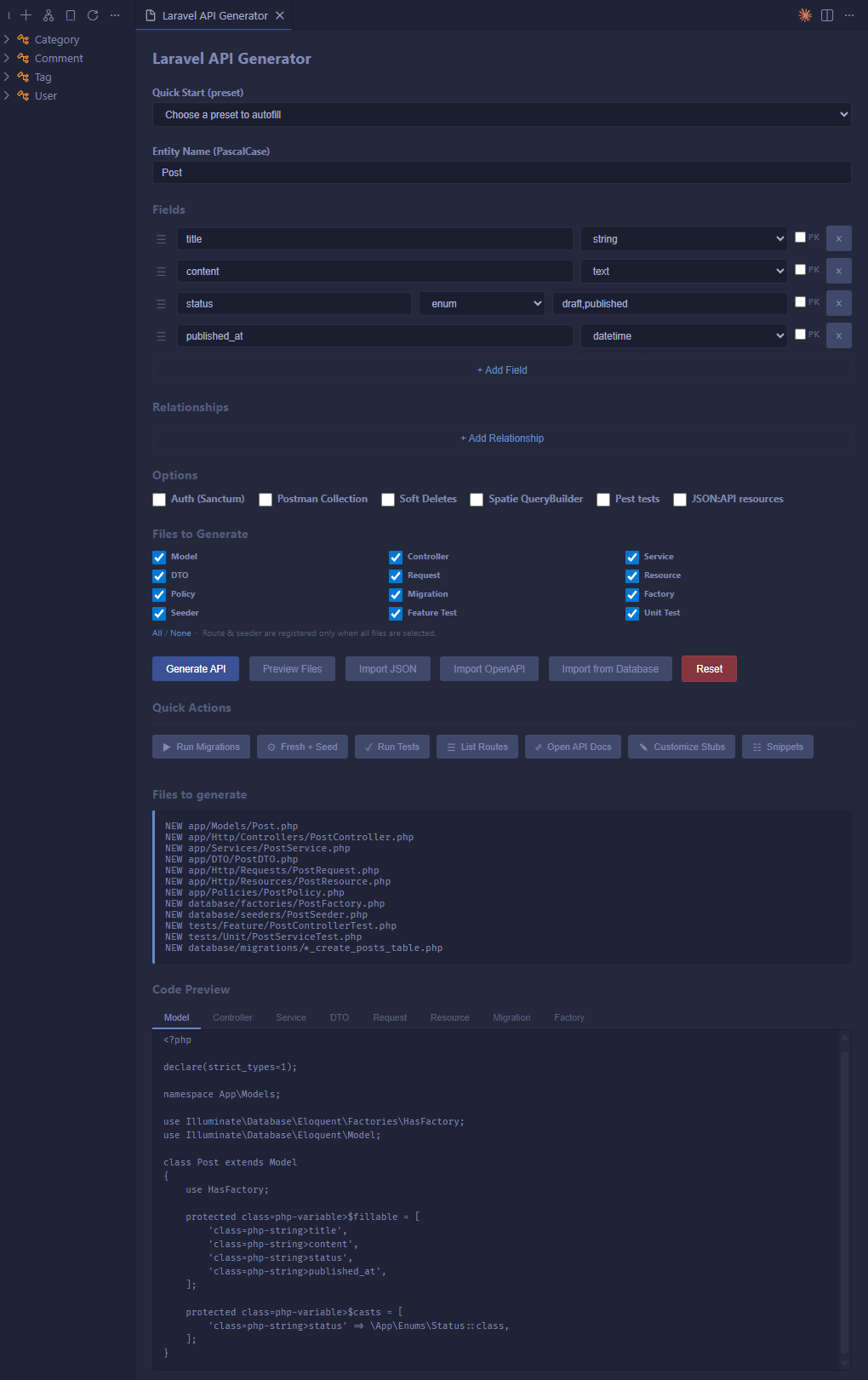
The form
Name the entity first. The input validates PascalCase as you type, rejects the names Laravel reserves, and shows the table and the route the entity will get. A name that already exists is allowed, and the preview then compares the existing files with what the generator would write.
The Examples menu fills the form with a blog post, a product, a task, a comment, a profile or an article. The Import menu brings an entity from a database table, a class_data.json file or an OpenAPI spec, as described in Sources & Review.
Fields are rows you add, remove and drag to reorder, each with a name and a type (string, integer, text, float, boolean, json, date, datetime, uuid…). Under each row, nullable, unique and default set the column modifiers. Two settings go further than a column:
- The
enumtype asks for its values (draft,published), and the generated API gets a backed PHP enum class, the model cast,Rule::enum()validation and a faked factory value. - The key icon makes the field the primary key instead of the default
id. The model ($primaryKey,$incrementing,$keyType), the migration and every incoming relation follow. See Field Types & Primary Keys.
Relations get their own rows (belongsTo, hasMany, hasOne, belongsToMany). The target model autocompletes from app/Models, the relation name defaults to the model, and the row shows the foreign key or the pivot table it implies. Generation hands the entity to the package in the schema file format, so relations arrive with real foreign key columns, foreign-keyed factories and passing tests.
The options are Soft deletes, Pest tests, Sanctum auth, Spatie QueryBuilder, JSON:API resources (Laravel 12.45+) and Postman collection. Only some files restricts the generation to the kinds you tick, in which case routes and the seeder are left alone. The ... menu resets the form and opens the project actions, the stubs and the snippets.
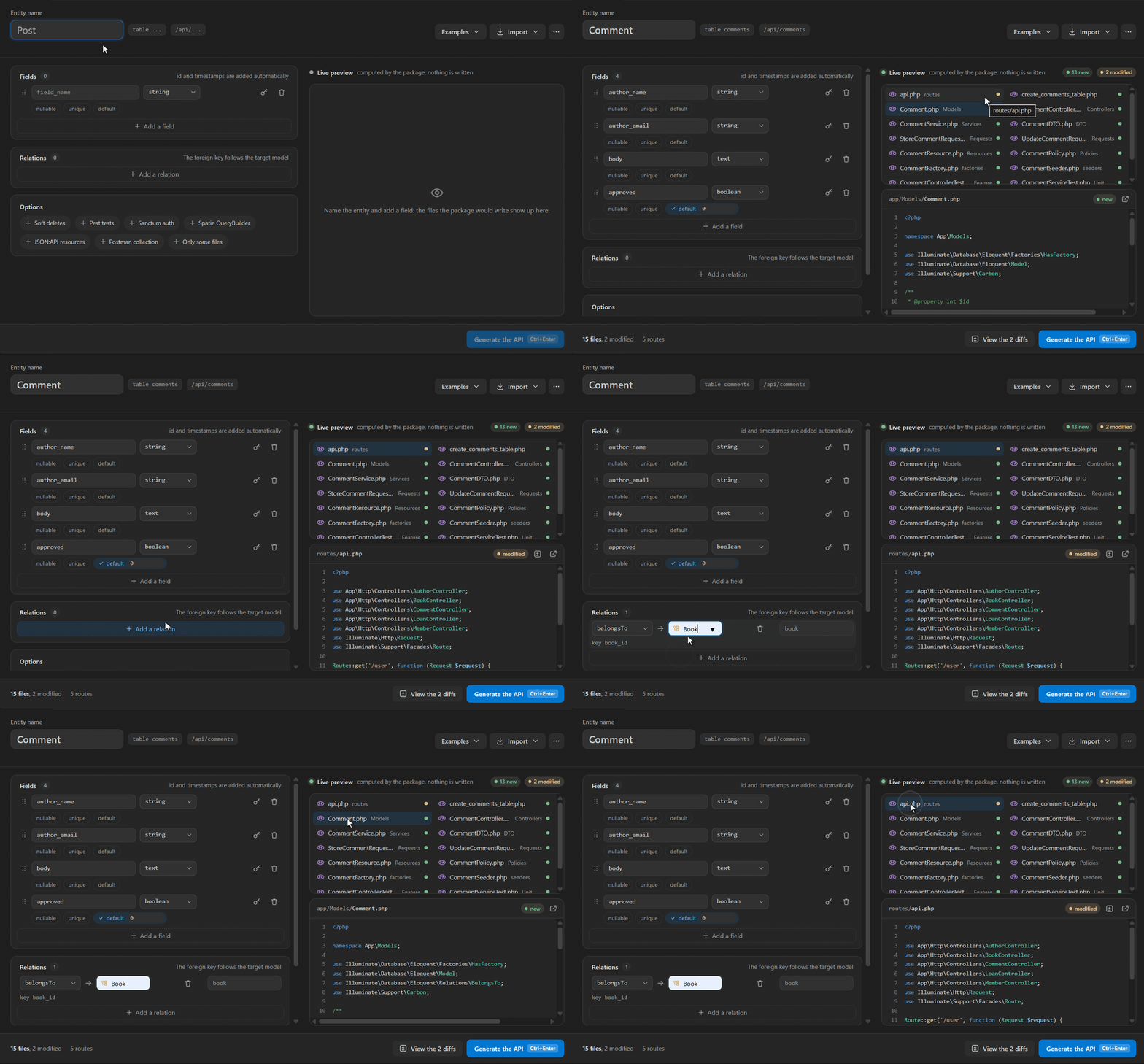
Live preview
The preview comes from the package installed in your project. When the form opens, the extension starts php artisan api-generator:serve --stdio and keeps it running, so every change is rendered in a few milliseconds by the same code that will write the files. Your published stubs, enum casts, custom primary keys and relations show up exactly as they will be generated.
Every file the generation touches is listed with its folder: model, controller, service, DTO, both requests, resource, policy, migration, factory, seeder, tests and enums, plus routes/api.php and DatabaseSeeder.php. Click one to read it. A badge says whether the file is new, modified, unchanged or kept, and View the diffs opens each modified file side by side with what the generator would write.
When the preview cannot run, it says why and offers the fix: composer install when the package is not installed yet, composer update nameless/laravel-api-generator -W when it is too old, or the setting to change when PHP is missing. The PHP process restarts by itself after a composer update, a change to .env or to config/.
Safety while generating
A file you edited by hand since the last generation is marked kept, and the package leaves it as it is. Before generating, a modal names these files: Overwrite replaces them anyway, Keep my changes generates everything else. With a package older than 3.11, the modal lists every existing file that would be overwritten, so you can back out before anything is written.
A running generation can be stopped. Click the button again and the artisan process is killed, with the form as you left it. Once the files are written, the panel shows the API ready screen and its next steps.
The same command as the terminal
The form builds a make:fullapi call, the command documented in the CLI Reference. An entity generated from the extension, from the terminal or in a CI script produces exactly the same files.