
MCP Server
Coding agents such as Claude Code, GitHub Copilot or Cursor can call the generator directly through the Model Context Protocol. Describe an API in plain words, and the agent turns it into a schema, shows you every file it would write, then generates the whole stack with the same engine as make:fullapi.
Install
The server runs on Laravel MCP, which needs Laravel 12.41 or later. Add it next to the package:
composer require --dev laravel/mcpThe package registers its server on its own, so there is no route file to publish. Your agent starts it with php artisan api-generator:mcp whenever it needs it.
Connect your agent
With the VS Code extension, there is nothing to configure. As soon as the package and laravel/mcp are installed, Copilot's agent mode lists a Laravel API Generator server, started with the PHP command of the extension settings, Sail and Docker included.
Other clients need the command once. Claude Code registers it in one line, and most other clients read a JSON file at the root of the project:
claude mcp add -s project laravel-api-generator -- php artisan api-generator:mcp{
"servers": {
"laravel-api-generator": {
"type": "stdio",
"command": "php",
"args": ["artisan", "api-generator:mcp"],
"cwd": "${workspaceFolder}"
}
}
}{
"mcpServers": {
"laravel-api-generator": {
"command": "php",
"args": ["artisan", "api-generator:mcp"]
}
}
}With Claude Code, -s project writes .mcp.json, which you can commit so the whole team gets the server. Type /mcp in a session to check it: the server shows as connected, with its tools, its resource and its prompt. Use -s local to keep it to yourself. Any other client takes the same command, php artisan api-generator:mcp, run from the project root.
When PHP runs in a container, prefix the command. Keep -i with Docker, since the server talks over stdin:
./vendor/bin/sail php artisan api-generator:mcpdocker exec -i my-app php artisan api-generator:mcpAsk for an API
Ask in plain words, for example a blog with posts, categories and tags where a post can be a draft or published. The agent checks what already exists with list-entities, writes an api-schema document and calls plan-api, which lists every file the generation would create or update without writing anything. Once you agree, generate-api writes them, and the agent can run php artisan migrate and the generated tests.
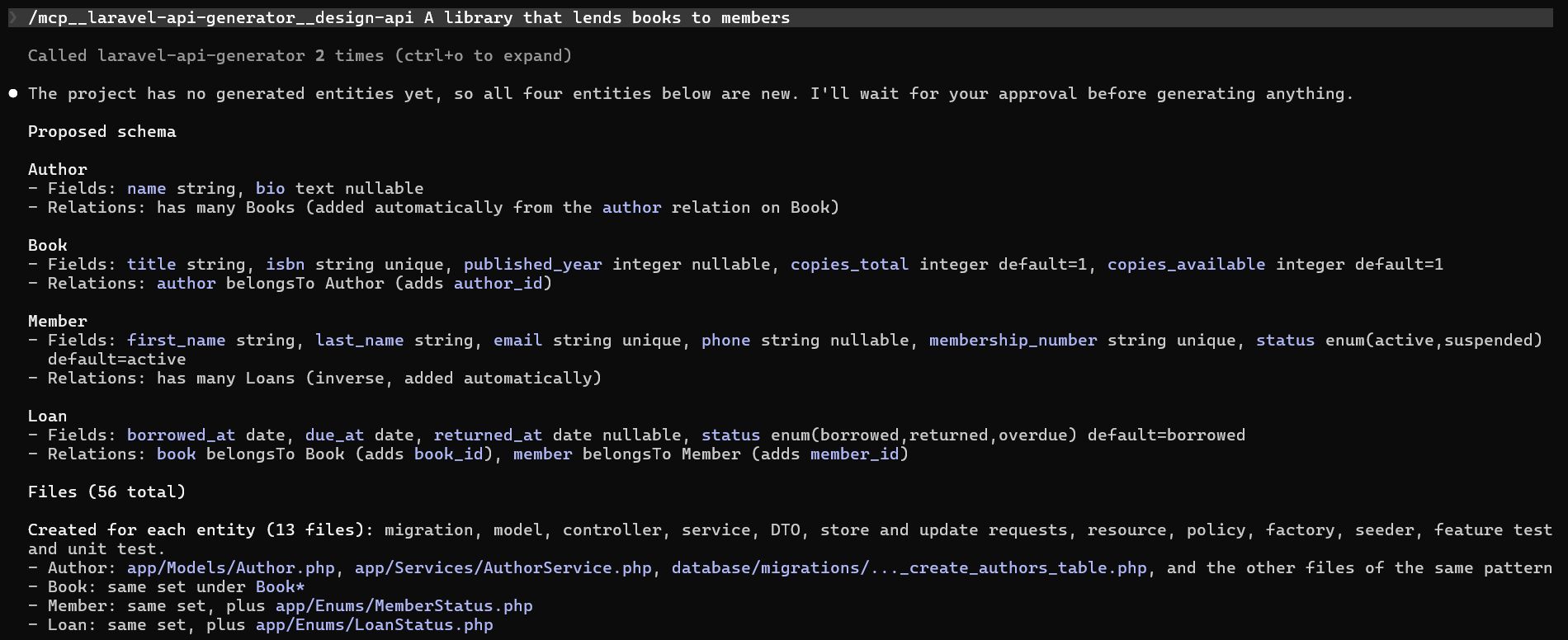
When the repository already holds a spec, ask for the API described in docs/openapi.yaml. The agent passes that path to plan-api instead of writing a schema, and the warnings tell it which schemas were left aside.
Later, "add an excerpt to posts" goes through add-fields. It writes an incremental migration and patches the model, form requests, factory and resource in place, keeping what you changed in them.
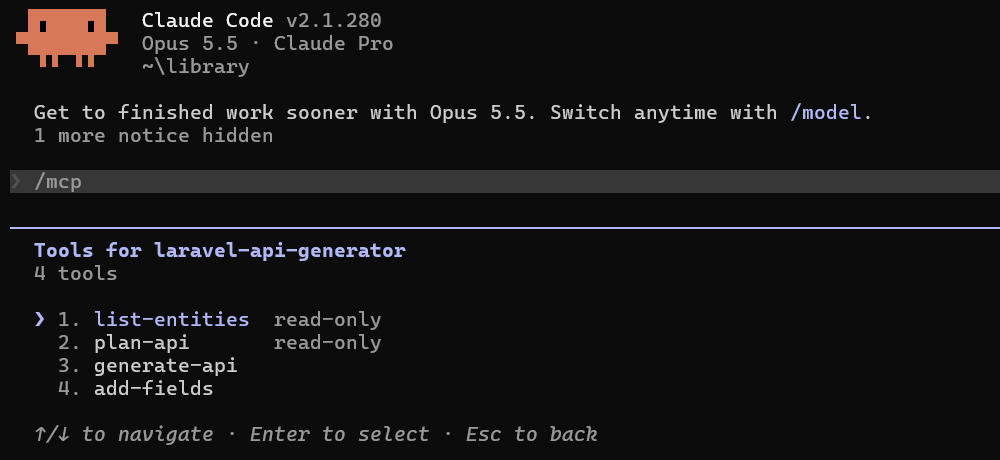
| Tool | What it does |
|---|---|
list-entities | Reads .api-generator/manifest.json and returns each generated entity with its files, marked intact, edited or missing. Also names the schema file at the project root. |
plan-api | Previews the files of an api-schema document, or of an OpenAPI spec of the project given by its path, with warnings such as an unknown field type. Returns the content of the files on request. |
generate-api | Writes the files of an api-schema document or of an OpenAPI spec of the project, with auth, postman and only like the command line. |
add-fields | Adds columns to a generated entity, with an optional dry run. |
The server also ships a design-api prompt, which most clients offer as a slash command. Give it the description, and it walks the agent through the steps above, waiting for your agreement before generate-api.
The results use the same JSON document as make:fullapi --json, so errors carry the same stable codes and hints. The server also exposes the JSON Schema of the api-schema format as the resource api-generator://schema/api-schema.json.
What stays in your hands
The server never overwrites a file you edited since it was generated. generate-api leaves it as it is and reports it with "kept": true. It never deletes a file and never runs a migration either. list-entities and plan-api are marked read-only, so your client knows they change nothing.
Overwriting your edits with make:fullapi --force, removing an entity with delete:fullapi and migrating stay on the command line, in your hands.
When the server does not start
Run the command yourself from the project root:
php artisan api-generator:mcpWithout laravel/mcp, it says so and exits. Otherwise it waits in silence for a client, which means it works. Stop it with Ctrl+C.